
Lesson in Brief: Installing A Let's Encrypt SSL Certificate With Auto-Renew
So far in our adventure into the depths of setting up an authentication server, we've installed Ubuntu, installed Keycloak and completed some initial configuration to allow us to log in to the software. We must remember that what we're trying to achieve here is better security and as such having our authentication server be secure is critical. So, we're going to need to have encryption, which means installing a SSL certificate. Let's do this!
Lesson in Brief: Installing Keycloak And Configuring Ubuntu
In our previous blog post, we installed Ubuntu on a virtual machine and then applied OS updates, ready for us to install Keycloak which is going to be our authentication server for our users to access our FileMaker database. So, next up, downloading and installing Keycloak. Let's dig in...
Lesson in Brief: Installing Ubuntu On A Virtual Machine Utilizing Windows 10
In part one of our Keycloak series, we jump straight in with getting our operating system of choice installed on a virtual machine, ready for Keycloak to be installed. As explained in our introduction blog post, we've chosen to use Ubuntu and Hyper-V on Windows 10, so let's get started on our epic journey!
Lesson in Brief: What Is Keycloak, Why Use It & Next Steps
Data breaches are already far too common and the IT security industry is ever evolving to combat unauthorized access to systems. So, how can we as FileMaker developers and deployers embrace modern security practices? One way is to utilize an Identity and Access Management solution, such as Keycloak, and in this multi-part series we'll be looking at how to install, configure and connect Keycloak to authenticate users to a FileMaker database.
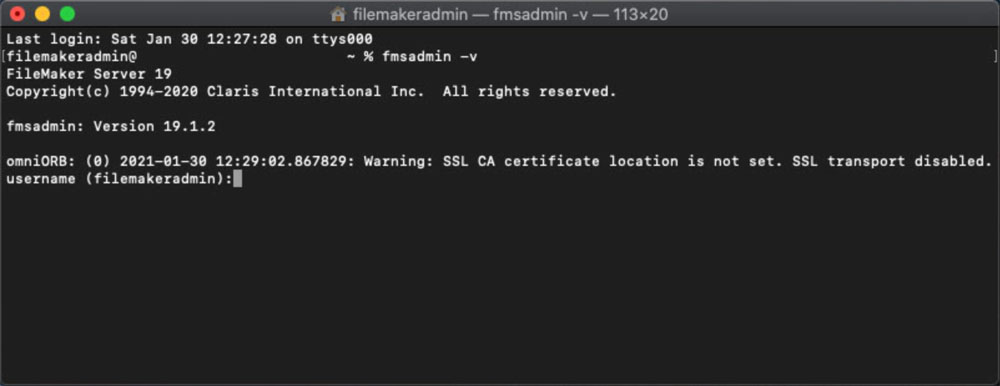
This seems ominous: omniORB: (0) Warning: SSL CA certificate location is not set. SSL transport disabled.
Working with Claris' FileMaker Server Command Line Interface (CLI) allows you to configure your server to your needs and in some instances allows you to adjust settings that are not available within the Admin Console. When executing commands, if you encounter a warning message that begins "omniORB" followed by the date, time and something to do with the SSL, you may have concerns... And rightly so, "SSL transport disabled" doesn't sound good, right? Well, read on to find out what might be wrong and how to fix it.
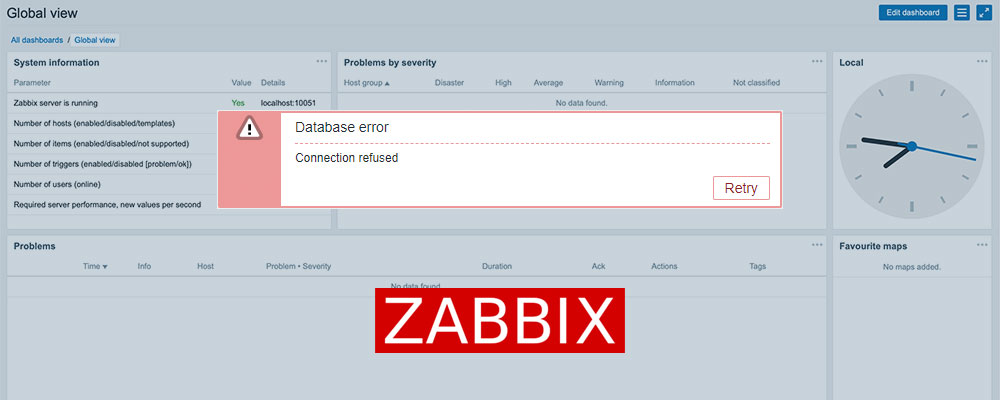
Diagnosing & Fixing A New Installation Of Zabbix 5 Appliance With "Database Error - Connection Refused" Message
If you've recently deployed Zabbix 5 using the downloadable Appliance package and a few hours, days or weeks later you log in and encounter a message telling you "Database Error - Connection Refused", your heart will sink and your plans for the day are likely derailed. All that work setting it up, configuring the templates, adding the hosts and action notifications, wasted... Devastating. You're probably coming to terms with having to spend the day building it from scratch again... But wait! Before you do, read on as it's possible there may be a fairly simple fix!
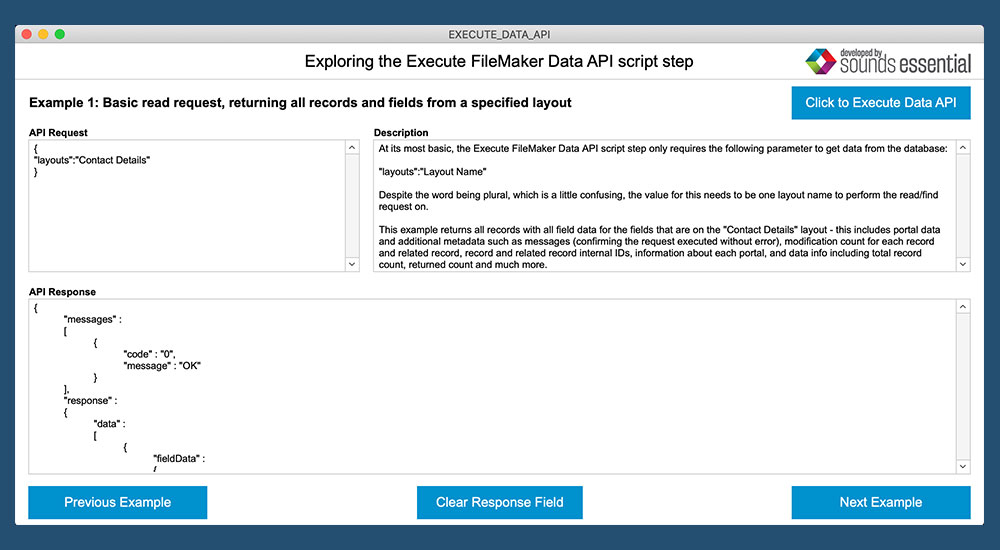
What is this new script step in FileMaker 19 and how does it work?
FileMaker 19 introduced some game changing functionality to the platform, including the JavaScript functions and Add-Ons. Another last-minute feature that made it into the release was the Execute FileMaker Data API script step. Documentation is sparse at this time, so we set out to find out what it does and how it works. Let's jump in...
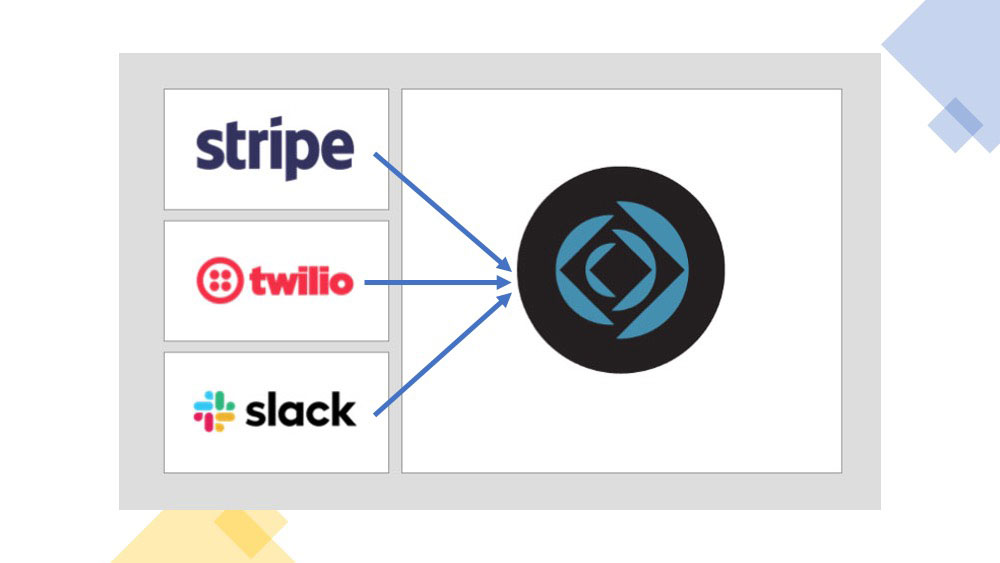
How to take advantage of web services' webhooks within a FileMaker database
More and more online services are utilizing webhooks as a resource-light way to respond to an event, often times pushing around some data. So if we as FileMaker developers want to take advantage of these webhooks, how can we go about it? Well, dig in and find out!
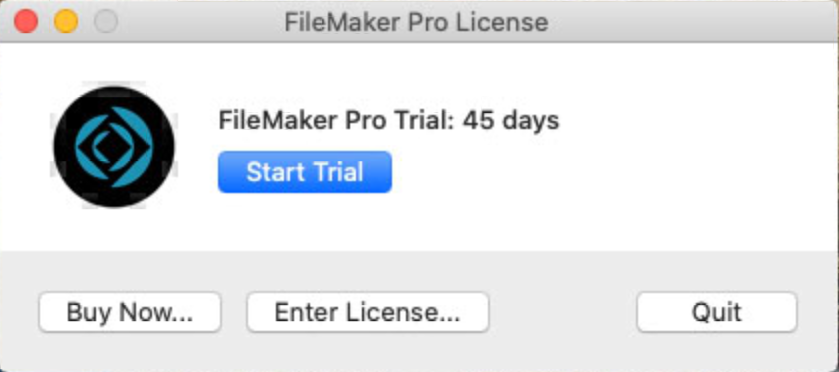
Is your FileMaker Pro 19 installation running as a trial license despite adding the license certificate?
In the process of setting up a machine for a client recently, we encountered an issue where FileMaker Pro 19 was installed, with the license certificate in the downloads folder as it should be, but we were asked for the license certificate each time the app was launched. And when it did launch, the app was in trial mode with an expiration date. But wait, we have a valid license...
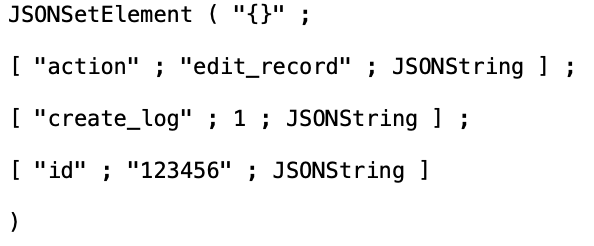
It Might Take A "While" For Us To Achieve This
The JSON functions were introduced in FileMaker 16 and since then, as it's native functionality, we've used these functions for passing around data in script parameters and more. Often times, we'll be, say, clicking a button on a layout and passing multiple JSON formatted script parameters to the script being executed. But we began wondering if there was a quicker way of extracting the parameters into variables in the script, and it turns out there is…

Adding Additional Disk Space To An Existing Volume
It’s not uncommon, as a FileMaker database begins to grow, that the volume originally set up on an AWS instance begins to run out of space. To tackle this, you could launch a new instance with a larger volume, but that seems like a bunch of work and there’s a much simpler way of solving this problem. Let’s find out how…

Warning 156 fms.myserver.com Schedule "HOURLY_BACKUP_USB" aborted; the destination "filemac:/BackUps/" is not writable.
If you upgrade your Mac server to macOS 10.15 Catalina, you might find that your backup schedules to external drives start failing with an error number 156. Although apparently fixed in FileMaker 18.0.4, it's rearing its head again, but there is a simple fix.
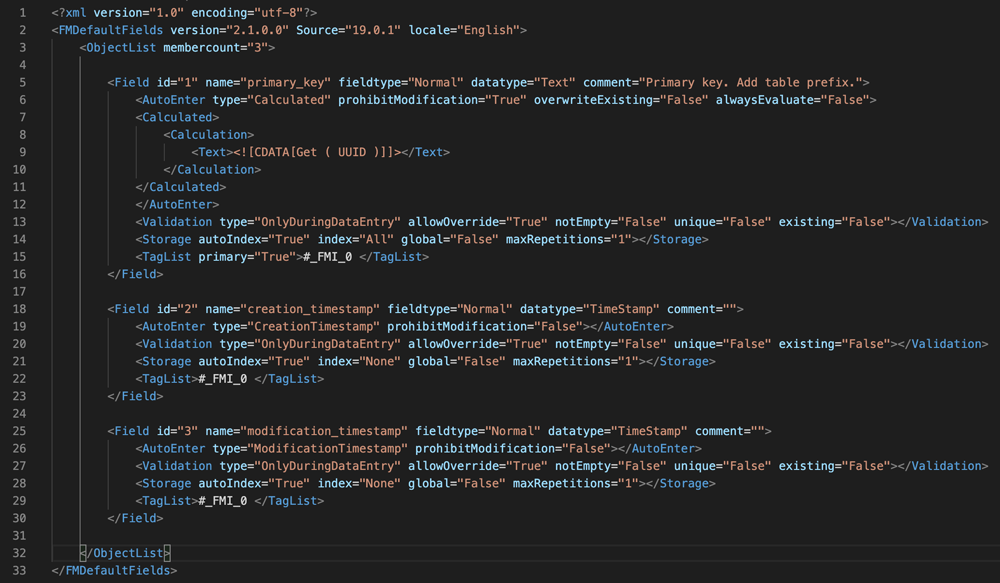
Changes In FileMaker 19 Have Broken Existing Custom Default Fields
Custom default fields were introduced in FileMaker 17 and proved to be immensely useful. The functionality allows for the automatic creation of fields when making a new table, ensuring consistency for fields like primary keys or creation/modification timestamps for example. If you had set this up in 17, when FileMaker 18 was released, they continued to work. But try it with FileMaker 19 and your custom default fields are gone. Don't panic, it's a pretty simple fix.

An Overview Of The Key New Features In Claris FileMaker Pro 19
FileMaker Pro 19 is now available, and with the release come a bunch of awesome new features to further enhance the capabilities of the platform. In this post we’ll check out, in brief, some of the key new features and in further posts we’ll dig into a select few a bit deeper.

Triggering and sending data to a flow from FileMaker in Claris Connect
FileMaker can do literally almost anything, including interacting with APIs. For example, in our previous articles introducing Claris Connect, we've been adding a member to a Mailchimp list. But that process of communicating with the API may not always be so easy. If only there were a way to trigger a Claris Connect flow from within FileMaker. Oh. Wait. There is! Let's see how...

Integrating FileMaker into Claris Connect flows
In our previous articles introducing Claris Connect, we've been integrating cloud based services to handle a particular workflow. But we're FileMaker developers at heart. So how does our database fit into all this?
Well, we're glad you asked, because the answer is pretty darn well! With FileMaker also being a Claris product, those clever folks over there made sure that FileMaker could be used within a flow of Claris Connect. So let's send some data from our flow to a hosted FileMaker database.

Gracefully trap for and fix errors in Claris Connect
Even with the most careful of programming, things can go wrong. It's not necessarily the programmer's fault when an error occurs, but we need to try to predict what could go wrong and where. For this reason, we introduce error handling into our flows to check for errors and do something about them when they occur.
And yet again, Claris Connect, an IPaaS solution (Integration Platform as a Service), provides a simple and effective way to trap for errors and take action as a result. Let's investigate how we can error handle within our flow.

Allowing human intervention before an action is executed
At times during an automated workflow, it may be necessary to have a human intervene and make a determination as to whether the next action should take place or not. There are plenty of examples of this, such as an employee vacation request or dispatching a tweet or email campaign. Once again Claris Connect, an IPaaS solution (Integration Platform as a Service), has you covered on this front. In this article, we'll show you how this works.

Using the power of conditional logic to create more complex flows
In part one of our introduction to Claris Connect, the new IPaaS solution (Integration Platform as a Service) from FileMaker parent company Claris, we took a look at creating projects and flows. Sometimes, though, business workflow and logic isn't as straightforward as the examples we used in that article. Many complex business rules require different outcomes based on certain conditions. Well, Claris Connect has you covered! Unlike some other IPaaS solutions, Claris Connect has the ability to create conditional logic and dictate the route of a flow as needed. Let's check it out.

Taking the easy road with automated workflows using Claris Connect
Do you want to automate your workflows but find APIs daunting? Stepping into this arena is the all-new Claris Connect, an IPaaS solution (Integration Platform as a Service) that lets you easily create integrations, allowing you to work faster, with more accuracy and to focus on the business problem itself rather than the tool you're using to solve it.
That said, we know that dipping your toe in the API economy can be scary, especially if you're not a "coder" or used to these kind of environments. Even the documentation is frequently written "by coders for coders" and can be hard to, uh, decode. Luckily, Claris Connect makes this type of automation much easier and more accessible. In this article, we explore Claris Connect and do a step-by-step walkthrough of how to set up an integration from Stripe to Office365 and Mailchimp!
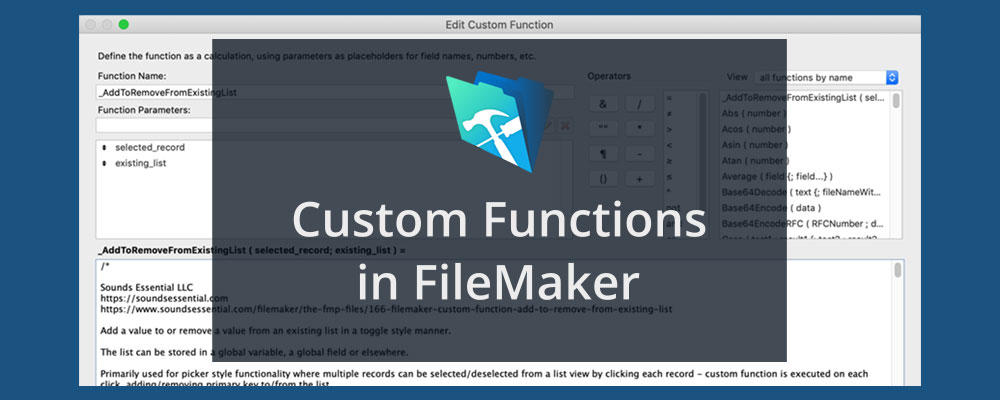
Simplify List Management With A Custom Function
Using lists in FileMaker is a common task and we do it a lot in the apps we design. Getting a list of records is relatively straight-forward, but it can get considerably more complicated when you want to manipulate that list by adding or removing values. In this tutorial, we'll use the code we developed for this purpose and turn it into a custom function you can reuse over and over again.

Limit Downtime by Automatically Imaging Your FileMaker Server
For this post in our continuing series on using FileMaker Server (FMS) on Amazon Web Services (AWS), we're going to take a look at implementing automated snapshots. We've discussed in the past how important it is to back up your data files using FileMaker Server's built in back up scheduling feature. We've also explored setting up "offsite" backups in our post, FileMaker Server on Amazon Web Services (AWS): Backups. Both are insanely important, but they aren't the whole story...

Extracting data from FileMaker for use on a webpage has been possible for years using various methods, including the PHP API. With the release of FileMaker 17, however, FileMaker introduced the Data API, allowing developers to interact with a database using industry standard REST methods. If you've never used the Data API before, you might be wondering how to get started. In this post, we're going to show you a very simple way of getting data from a FileMaker database, using the Data API and PHP.

With the release of iOS 13, Apple introduced new features that you can leverage to do some cool things on an iPad or iPhone. Namely, you can open a FileMaker database handsfree using Siri Shortcuts! Want to learn how? Let's go!
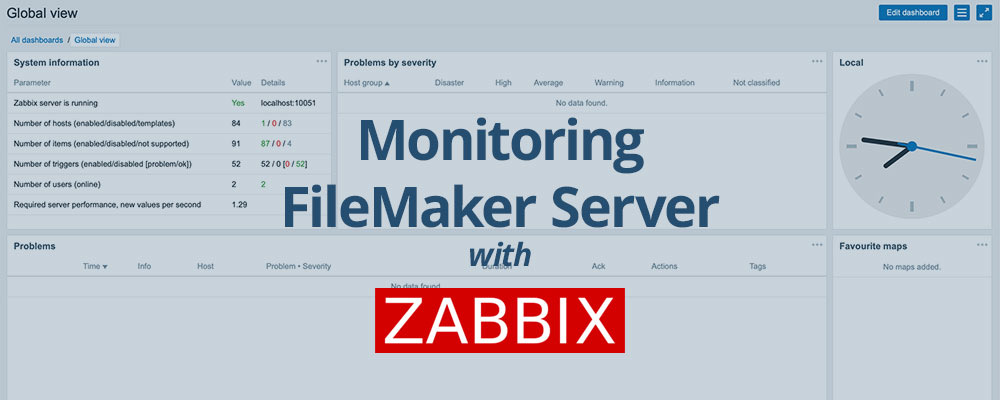
Lesson in Brief: Logging In and Initial Zabbix Setup
In our previous two Zabbix blog posts, we created and fine tuned a virtual machine on Windows 10, and it’s ready and waiting for us to log in and get Zabbix up and running. So, let’s dive in and see what’s what.
Wanna chat about your options?
Contact Us
Sounds Essential LLC
PO Box 2229
Cashiers, NC 28717
t. (828) 743-8350
e. info@soundsessential.com
Get the Latest
We very occasionally send out news of general interest relevant to our work. Sign up below to stay up to date.